


NKJV - New King James Version
4.81.33K Reviews
App Specs
- Version
- 1.64
- Updated On
- License
- Free
- Downloads
- 1,000,000+
- Developer
- Mobile Bible apps
- Categories
- Books & Reference
- Platform
- Android
Screenshots
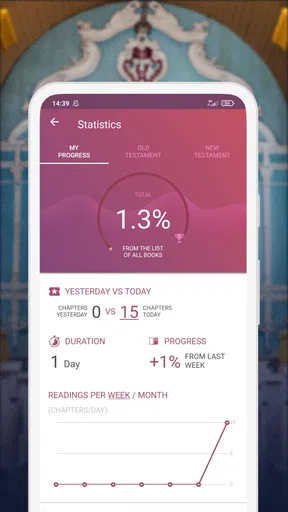
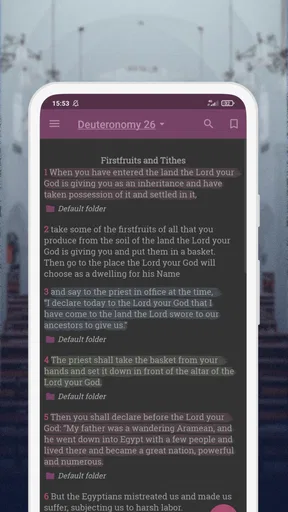
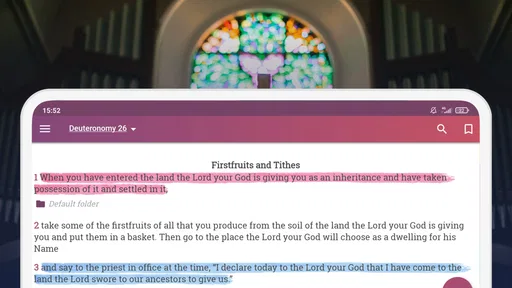
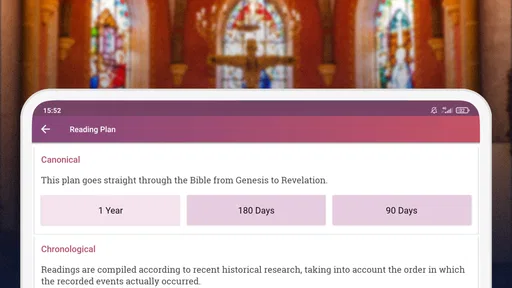
 Analysis by AppCompare
I have used NKJV - New King James Version as a straightforward Bible-reading companion, and its main appeal is easy to understand: it puts the New King James Version in a clean, accessible format without trying to turn reading into a complicated social or study platform. It belongs to the Books & Reference category, is free to download, and is suitable for Everyone. For anyone who already prefers the NKJV wording, that focused approach is a real advantage.
The app is developed by Mobile Bible apps and has built a strong audience, with an average rating of 4.8 from around 21 thousand ratings and more than a million installs. Those figures do not replace personal experience, but they do fit what I found: this is an established reader aimed at people who want dependable access to Scripture rather than a crowded collection of unrelated tools.
How I use it for everyday Bible reading
My usual starting point is simple. I open the app, choose the book and passage I want, and read without spending time arranging a study plan. That makes it useful in ordinary situations: a short reading before work, checking a verse during a conversation, or following along with a church message when carrying a printed Bible is inconvenient.
The strongest part of this baseline workflow is its low mental effort. I do not need to remember a complicated system before I can begin. The app’s purpose is clear from the first use, and the New King James Version remains the center of the experience. If you are looking for a focused digital Bible rather than a general religious library, that clarity works in its favor.
I also found it helpful to separate two habits that are easy to mix up. For quick reference, I search for a passage and leave again. For regular reading, I return to the same book and continue at a measured pace. Treating those as different workflows prevents the app from becoming merely a verse lookup tool. It can support a longer reading routine, but the routine comes from the user rather than from an elaborate built-in coaching system.
A realistic example is a busy weekday morning. I might read a short section while waiting for coffee, then return later to check a related passage. The app is better suited to that kind of repeated, flexible use than to a long session requiring extensive annotation, cross-reference management, or academic research. Its value is in keeping the text close at hand and easy to revisit.
What to check before settling into a routine
Before using it every day, I recommend spending a few minutes looking through the available reading and display controls. The exact options that matter most depend on how you read, but the general principle is important: make the text comfortable before building a habit around it. A small adjustment to readability can make a bigger difference than downloading several extra study tools.
Worth Reading Before You Choose

Flipboard Shows What News Apps Must Do Beyond the Feed

Switching to Android Auto Means Rethinking Your Driving Routine

Google Calendar Makes a Crowded Week Easier to Manage

Ludo King Makes the Most of the Minutes Between Plans

Baby Panda World Brings Quick Play to Modern Phones, but Its Game Library Feels Busy

ESPN’s Live Game View Makes Following Close Games Easier
Readers who prefer larger text should check the display settings first, especially if they read on a smaller phone. People who read at night may also want to examine the available appearance choices and select the most comfortable contrast. I would not assume that the default view is ideal for everyone. A Bible app is used for long periods by many people, so reducing visual strain is worth treating as part of setup rather than an afterthought.
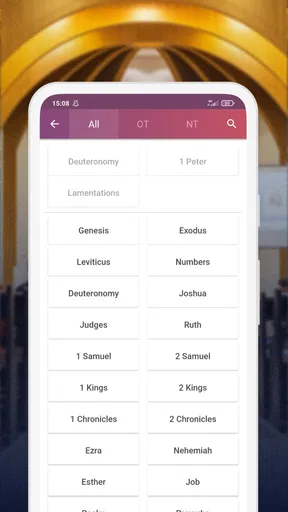
Navigation deserves attention too. If the app offers more than one way to move between books and chapters, try each method once and keep the one that feels most natural. I tend to favor the route that lets me reach a known passage quickly, while a reader working through a book may prefer a more linear approach. The best setting is not necessarily the one with the most controls; it is the one that keeps your attention on the text.
Another useful check is whether the app’s reading position behaves as you expect when you leave and return. I make a habit of reopening the current book after an interruption, because that confirms whether the app fits my routine. This is a small practical test, but it answers a question many people only discover after several days: can the app support the way I actually read, not just the way I imagine I will read?
The app’s current version is 1.64, and it runs on Android 7.0 or later. That makes it a practical option for people who keep an older Android phone instead of upgrading frequently. I would still check the device experience after installation, particularly on a very small screen, but the minimum system requirement is relatively approachable for an established Bible reader.
Shortcuts and repeatable reading patterns
Experienced use is less about discovering a secret feature and more about repeating a few efficient actions. I keep a mental route for reaching familiar books, use search when I know a phrase but not its exact location, and return to the same reading area instead of browsing aimlessly. These habits reduce friction without pretending the app is a full research suite.
Search is especially useful when memory is incomplete. I may remember a distinctive phrase but forget whether it appears in the Psalms, one of the Gospels, or an epistle. Searching by wording is faster than opening several books one after another. The trade-off is that search encourages isolated reading if I use it constantly, so I try to read the surrounding passage once I find the verse.
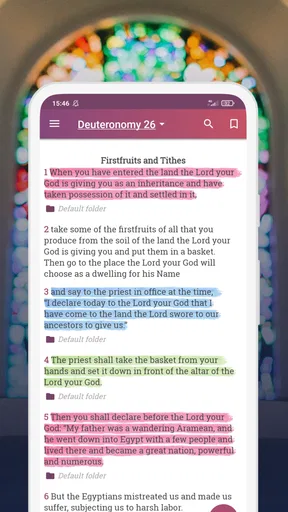
For a repeatable study pattern, I use three passes. First, I read the selected section without stopping. Second, I look back at the lines that stood out and check their immediate context. Third, I write down the reference elsewhere if I need to remember it for a discussion or later reflection. This approach works well with a focused Bible reader because it does not depend on a large note-taking system inside the app.
That last point matters. I do not treat the app as my only place for long-term study notes. If I am preparing a lesson, comparing several translations, or building a detailed topical index, I prefer a dedicated study platform or a notebook alongside it. The NKJV app is useful as the text I return to, but it is not automatically the best place to organize an entire research project.
Another efficient habit is to use it in layers throughout the day. I might read a passage in the morning, search for a related reference at lunch, and revisit the original section in the evening. This is more realistic than expecting one uninterrupted session every day. The app’s focused design suits short returns, and those small sessions can become more consistent than an ambitious plan that is difficult to maintain.
Where the focused design reaches its limits
The same simplicity that makes this app approachable can feel restrictive to advanced users. If you want a broad collection of translations, extensive scholarly notes, audio-led study, community discussion, or a highly connected cross-reference system, a larger Bible platform may be a better fit. I would not choose this app expecting it to replace every other tool used in serious study.
It is also not the ideal choice for someone who has not decided whether the NKJV is their preferred translation. The app is built around that version, so users who regularly compare wording across translations may find themselves switching between apps. That is not a flaw in the text itself; it is a practical limitation of choosing a focused edition instead of a multi-version library.
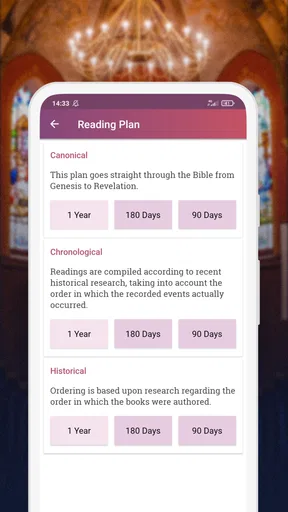
Readers who depend on advanced personal organization should think carefully before making it their only Bible application. A detailed workflow involving extensive highlights, layered notes, reading plans, and linked references may be easier in a more feature-heavy alternative. In my experience, NKJV - New King James Version works best when the main task is reading and locating Scripture, while additional tools handle broader organization.
There is also a difference between free access and a completely cost-free experience. The app is free, but in-app purchases are listed at $5.99 per item. I would review the available purchase choices before assuming every possible convenience is included at no cost. For basic readers, the free starting point is attractive; for users seeking extras, the final value depends on which additions they actually want.
The Everyone content rating makes it suitable for a wide audience, including families and readers who simply want a Bible on a shared or personal device. Even so, suitability does not mean every reading workflow will feel equally polished for every person. Someone who reads primarily on a tablet, studies with multiple translations, or needs extensive accessibility customization should test the experience against those specific needs rather than relying only on the app’s broad audience.
Who will get the most from it
I would recommend this app to a reader who already likes the New King James Version and wants a dedicated way to keep it nearby. It is also a sensible choice for someone moving from a printed Bible to a phone and wanting the transition to feel uncomplicated. The focused presentation makes it easier to begin without first learning a large collection of menus.
It can also work well for occasional readers. You do not need a strict devotional schedule to benefit from having a familiar translation available for quick reference. A person who attends church, joins a small group, or receives regular verse references can use it as a dependable companion without committing to a complicated digital system.
I would point advanced study users toward a more comprehensive alternative if their normal work involves comparing translations side by side, consulting extensive commentary, or maintaining a large archive of notes. I would also suggest another option to readers who want audio, social features, or guided plans to be the central experience. This app is strongest when those extras are secondary and the biblical text itself is the priority.
One practical tip is to decide in advance what role the app will play. If it is your pocket Bible, keep the workflow simple and return to it often. If it is one part of a larger study setup, pair it with a separate note system and use it as the stable NKJV reference. That decision prevents disappointment because you are judging the app against a clear purpose rather than expecting it to cover every possible use.
My final assessment after building a routine
After using it as a regular reference, I see NKJV - New King James Version as a focused, approachable Bible app rather than an all-in-one study environment. Its free entry point, broad device compatibility, Everyone rating, and strong user response make it easy to recommend to the right reader. Mobile Bible apps has kept the concept centered on access to the New King James Version, and that restraint is part of its appeal.
The app earns my recommendation when your priority is quick reading, familiar wording, and a repeatable phone-based routine. I especially like it for short sessions that happen throughout the day, because it does not demand a large setup before the text becomes useful. With a few display checks and a consistent navigation habit, it can become a reliable part of everyday reading.
My advice is to install it if you want the NKJV specifically, then test it with one realistic week of use: a short morning passage, a search when you need a reference, and a return to the same book later. If that rhythm feels natural, the app is likely a good match. If you immediately miss multiple translations, extensive notes, or deeper study tools, choose a broader Bible platform instead.
My bottom line: this is a strong choice for focused NKJV reading, but not a substitute for a full-featured study library. It succeeds by keeping the central task clear, and its limitations become manageable once you use it for what it does best.
Pros
- Clear
- modern wording while preserving a traditional biblical tone.
- Includes helpful cross-references for exploring related passages.
- Audio Bible support makes listening convenient during commutes or study.
- Bookmarks
- highlights
- and notes help organize personal Bible study.
- Readable layout with adjustable text size and night-friendly viewing options.
Cons
- Some features or translations may require in-app purchases or subscriptions.
- Audio downloads can use considerable storage and mobile data.
- Advertising may interrupt the experience for users on the free version.
- Search results can feel limited when looking for exact phrases or topics.
- Requires internet access for certain content and synchronization features.
FAQs for NKJV - New King James Version
What is NKJV – New King James Version?
NKJV – New King James Version is a Bible app centered on the New King James Version translation of the Holy Bible. It is designed for reading Scripture on a phone or tablet, with books and chapters organized for convenient navigation. Depending on the version and platform, it may also include search, bookmarks, notes, reading plans, audio, or other study tools.
Is the NKJV Bible app free to download and use?
The app may be available as a free download, but the exact features depend on the developer, operating system, and current store listing. Basic Bible reading is often accessible without payment, while advertisements, premium tools, audio content, or additional study resources may require purchases or a subscription. Check the app’s Google Play or App Store description before downloading.
Can I read the New King James Version offline?
Offline availability depends on the specific NKJV app edition. Some versions allow users to download Bible text for reading without an internet connection, which is useful when traveling or using limited mobile data. Other versions may require an online connection for certain content, audio, or advertisements. Confirm offline support and download requirements in the app details.
What features should I expect from the NKJV Bible app?
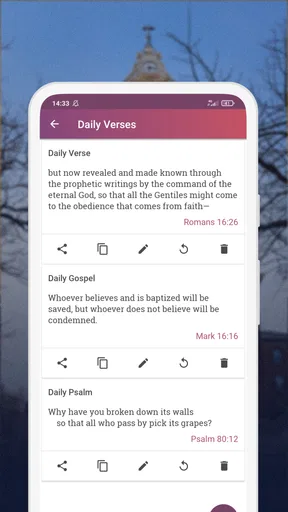
Most NKJV Bible applications provide access to the complete New King James Version, chapter navigation, and keyword search. Many also offer bookmarks, highlights, personal notes, adjustable text size, night or dark mode, and sharing options. Some editions include daily verses, reading plans, audio playback, cross-references, or devotionals, although the available tools can vary considerably.
Is NKJV – New King James Version suitable for Bible study?
The app can be useful for personal Bible reading, devotional routines, church preparation, and basic Scripture study because it makes the NKJV text easy to carry and search. However, the depth of study features differs between editions. Users seeking commentaries, original-language tools, detailed references, or academic resources should review the included features and consider using the app alongside a dedicated study Bible.


